Active Directory, security & utilities
KeePass
Free, open-source password manager built on a local encrypted database.
open sourcedesktop
Independent reference — this page is a review. KeePass is downloaded from the vendor’s official site, not from here.
| Platforms | Windows (official); macOS/Linux via Mono; community ports |
|---|---|
| Licence | Open source — GPL-2.0+ |
| Price | Free |
| Section | Active Directory, security & utilities |
| Updated | 2026-11-05 |
What it is
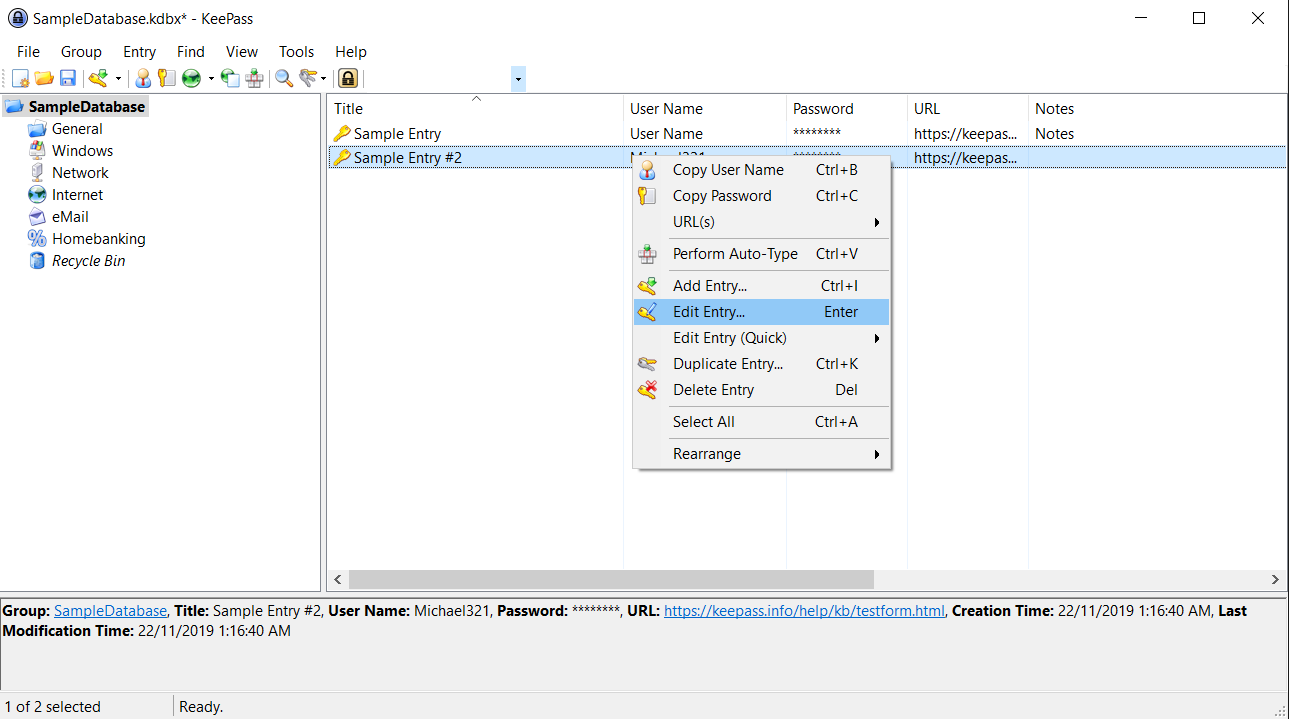
Free and open source, it keeps an encrypted local database (AES / ChaCha20) behind a master password or key file — a way to store server and admin credentials with no cloud involved, rounded out by plugins and auto-type.
Problems it closes
- Admin and server credentials have to live somewhere secure, not a spreadsheet or a notes file.
- You need a password vault with no cloud dependency whatsoever.
- A small team needs shared secrets in an encrypted, portable file.
How administrators run it
- Keep an encrypted .kdbx database behind a master password or key file.
- Group entries and let auto-type fill logins for you.
- Drop the database on a share, or sync it yourself, for team access.
Strengths & trade-offs
Strengths
- Free, open source and widely audited.
- Local and offline — no cloud required.
- Plugins and auto-type supported.
Trade-offs
- The official client is Windows (community ports cover other OSes).
- Sync and sharing are yours to manage.
Common questions
Is it cloud-based?
No. It’s a local encrypted database file you control and store wherever you like.
Can a team share one database?
Yes, via a shared or synced file — though watch out for concurrent edits.
Alternatives
ManageEngine ADManager Plus Web-based Active Directory management, delegation and reporting under one roof. freemiumdesktop Windows server, web console Sysinternals Suite Microsoft’s free kit for deep Windows diagnostics and fault-finding. freemiumdesktop Windows ESET PROTECT Endpoint protection and EDR run from a cloud or on-prem console. paid / trialcloud + desktop Cloud or on-prem console; protects Windows/macOS/Linux + Android/iOS