Remote access & support
mRemoteNG
Free tabbed connection manager for RDP, VNC, SSH and more, Windows only.
open sourcedesktop
Independent reference — this page is a review. mRemoteNG is downloaded from the vendor’s official site, not from here.
| Platforms | Windows |
|---|---|
| Licence | Open source — GPLv2 |
| Price | Free |
| Section | Remote access & support |
| Updated | 2026-11-05 |
What it is
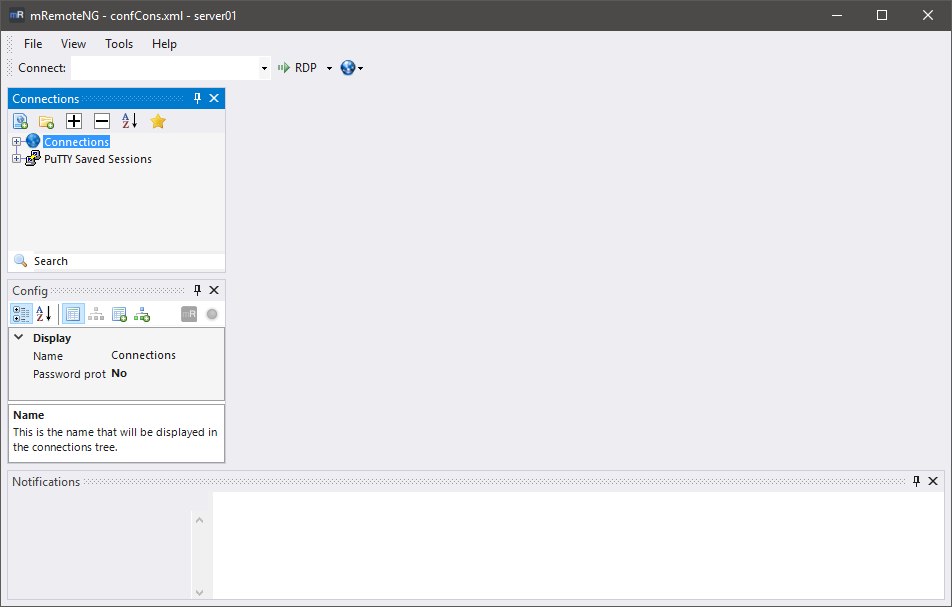
Free and open source on Windows, it folds RDP, VNC, SSH, Telnet, HTTP/S, rlogin and raw connections into one tabbed window. Sessions sit in a folder tree that inherits settings and remembers credentials.
Problems it closes
- You want every RDP and SSH session in one Windows window instead of a pile of clients.
- There’s no budget for a paid connection manager.
How administrators run it
- Drop production and lab hosts into folders that inherit their protocol settings.
- Keep jump hosts a tab away for when an incident breaks.
Strengths & trade-offs
Strengths
- Free and open source.
- Several protocols in one tabbed window.
- Light on Windows.
Trade-offs
- Windows only.
- Treat its credential storage with caution.
- Development moves slowly.
Common questions
Are stored credentials safe here?
It will store them, but treat the connection file as sensitive — guard it and lean on per-user encryption.
Does it run on macOS or Linux?
No — Windows only. Elsewhere, reach for Royal TS or another manager.
Alternatives
Royal TS Connection vault that pulls RDP, VNC, SSH and web sessions under one roof. freemiumdesktop Windows, macOS, mobile PuTTY The free SSH, Telnet and serial client Windows admins always keep handy. open sourcedesktop Windows/macOS/Linux RustDesk Open-source remote desktop you can self-host, so sessions stay on servers you control. open sourcedesktop Windows, macOS, Linux, web, mobile