Network & diagnostics
PuTTY
The free SSH, Telnet and serial client Windows admins always keep handy.
open sourcedesktop
Independent reference — this page is a review. PuTTY is downloaded from the vendor’s official site, not from here.
| Platforms | Windows/macOS/Linux |
|---|---|
| Licence | Open source — MIT |
| Price | Free |
| Section | Network & diagnostics |
| Updated | 2026-11-05 |
What it is
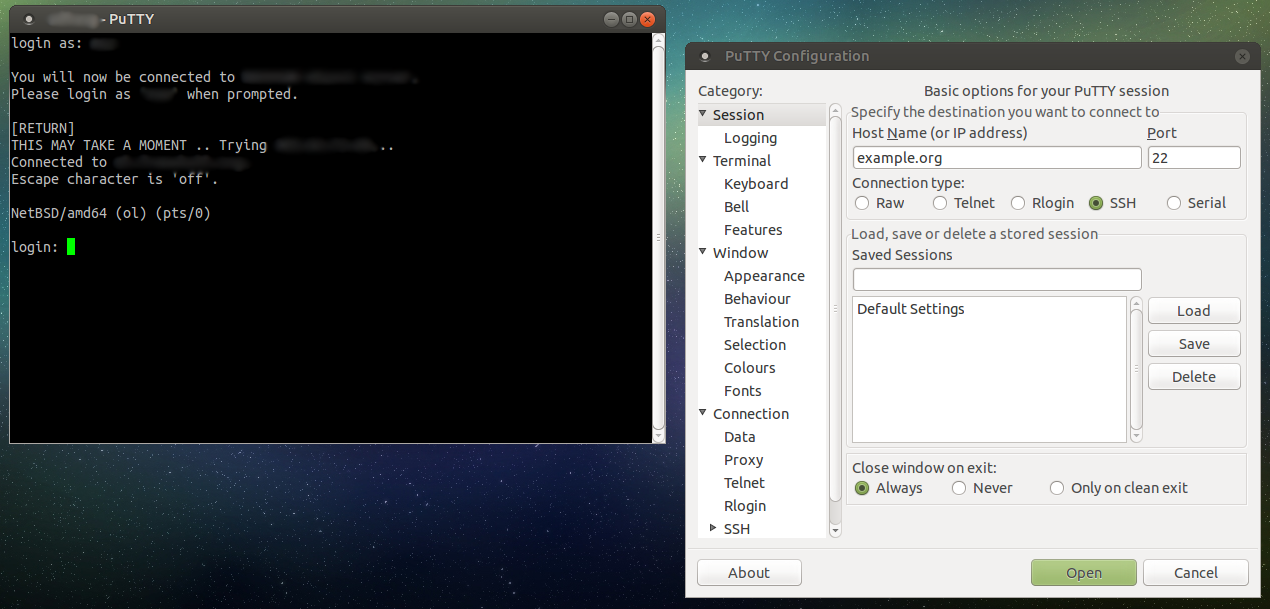
Free and covering SSH, Telnet, Rlogin and serial, it’s the baseline for connecting securely from Windows to servers and network gear, and for administering Linux hosts, routers and switches.
Problems it closes
- You need SSH to Linux servers and network gear from a Windows machine.
- A switch or router needs serial console access during setup or recovery.
How administrators run it
- Save a session per host, keys and settings and all, for one-click connecting.
- Use it for SSH, Telnet and serial connections to network devices.
- Pair it with WinSCP for file transfer and PuTTYgen for key handling.
Strengths & trade-offs
Strengths
- Free, tiny and rock-solid.
- SSH, Telnet and serial in one tool.
- Everywhere, and well understood.
Trade-offs
- The UI is basic and tabless — a connection manager fixes that.
- Its roots are Windows-centric.
Common questions
Windows ships SSH now — why bother with PuTTY?
Command-line OpenSSH gets the job done, but PuTTY adds saved sessions, serial access and a GUI plenty of admins still prefer.
Can it manage SSH keys?
Yes. You generate and use keys through PuTTYgen and .ppk files.
Alternatives
WinSCP Graphical SFTP, SCP and FTP file transfer for Windows. open sourcedesktop Windows (portable; runs on Linux via Wine) mRemoteNG Free tabbed connection manager for RDP, VNC, SSH and more, Windows only. open sourcedesktop Windows Royal TS Connection vault that pulls RDP, VNC, SSH and web sessions under one roof. freemiumdesktop Windows, macOS, mobile