Network & diagnostics
Wireshark
The standard packet analyser for capturing and reading network traffic.
Independent reference — this page is a review. Wireshark is downloaded from the vendor’s official site, not from here.
| Platforms | Windows/macOS/Linux/BSD/Solaris |
|---|---|
| Licence | Open source — GPL-2.0+ |
| Price | Free |
| Section | Network & diagnostics |
| Updated | 2026-11-05 |
What it is
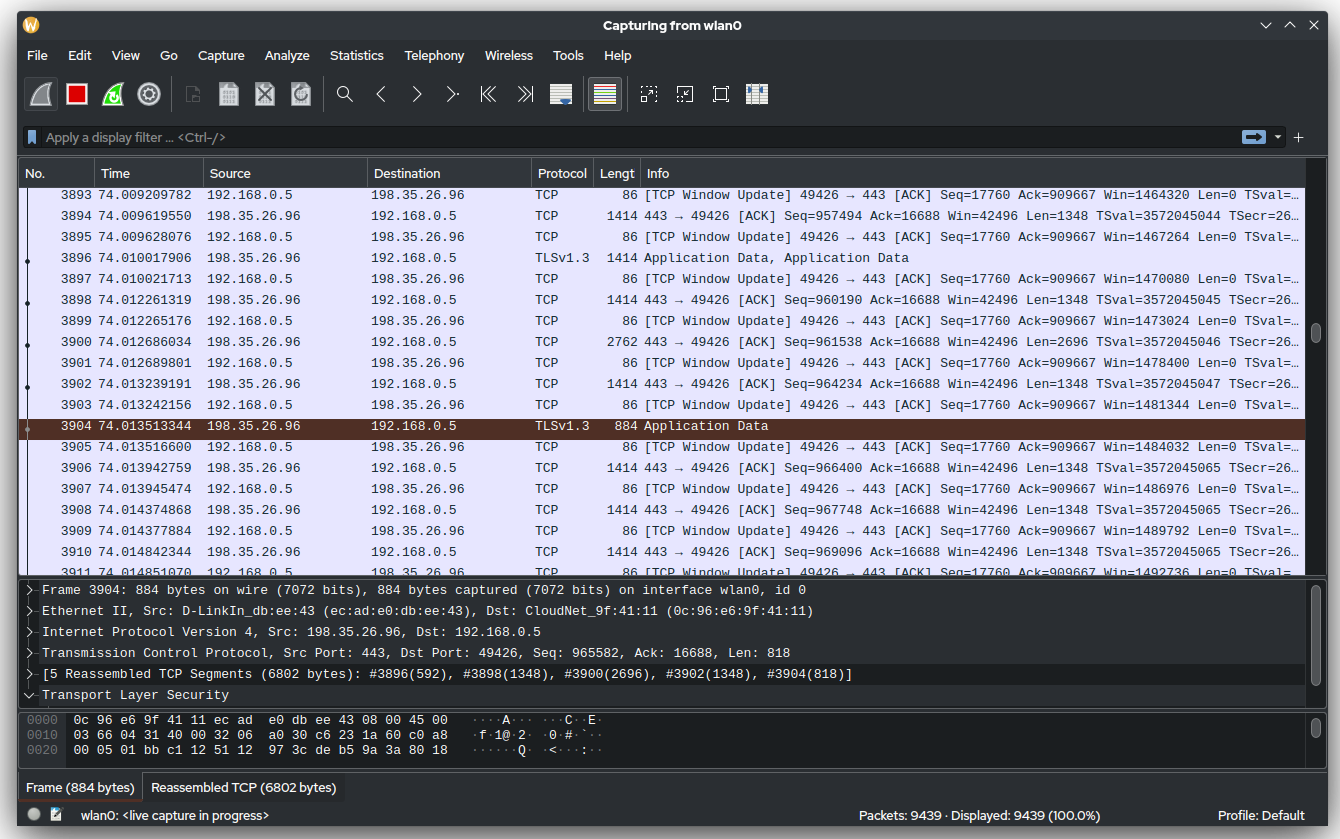
As a traffic analyser — a sniffer — it captures packets and decodes them across hundreds of protocols. Admins reach for it to chase down network faults, spot anomalies and bottlenecks, and dig into incidents. It works point-in-time: you grab a slice of traffic and pick it apart, rather than monitor continuously.
Problems it closes
- An app is "slow" and you have to pin the fault on the network or on the app itself.
- A connection drops now and then while the logs at both ends say nothing useful.
- Traffic looks off or outright malicious and you need to see exactly what a host is sending.
- A device acts against its config and you need to confirm what it actually puts on the wire.
How administrators run it
- Capture on a switch mirror/SPAN port, or right on the affected host, then narrow things down with display filters like ip.addr or tcp.port.
- Use "Follow TCP stream" to read a whole client-server exchange as plain text.
- Work the Statistics views (Conversations, IO graphs, retransmissions) to find top talkers and where the latency creeps in.
- Save the capture as a .pcap to attach to a ticket or send to a vendor.
Strengths & trade-offs
Strengths
- Decodes hundreds of protocols in real depth, further than most tools go.
- Free and open source on Windows, macOS and Linux.
- Vast community, filter library and documentation.
Trade-offs
- Steep learning curve — the filter language takes practice.
- Captures grow large and sensitive, and can hold credentials.
- It’s no continuous monitor; for long captures lean on its CLI tools (tshark / dumpcap).
- You need capture access — a mirror port or elevated privileges.
Common questions
Is capturing traffic with it legal?
On networks and devices you’re authorised to run, yes. Capturing other people’s traffic without permission can break the law, so only use it where you have the right.
Can it read HTTPS/TLS?
Only if you supply the session keys — an SSLKEYLOGFILE from the client, say. Without them you’ll see that a connection happened, but not what was inside.
Can it run all day watching a network?
It’s built for focused captures, not round-the-clock monitoring. Use dumpcap or tshark for long or unattended captures, and leave continuous visibility to a monitoring system.